Written by: Bryan
How do you sign your outgoing email?
Does that signature reflect the image you want projected for your business?
Your outgoing email signature not only communicates your contact information but can also be a great way to drive visitors to your website. A standard email signature format for your company conveys professionalism and guarantees that your customers always have the contact information they need.
If your company has matching business cards, maybe it should also have matching email signatures. This conveys a consistent branding across all those email messages you pass back and forth to your clients, prospects, and referrals.
HTML can be used in most email programs to add color, bolded text, and even a logo image to your signature. But remember that at least a small percentage of people may not be able to view a “pretty” HTML email, so at least some basic text information should be included to ensure that all audiences can see, at minimum, your name and contact information.
Written by: Jacqueline
Many marketing experts will advise you to have multiple “touch points” for you customers and prospects – some way to contact those people repeatedly and keep you in their minds. You might mail a postcard, make a follow up phone call, or even visit their doorstep. But remember that your web site should also serve as a communications tool.
So, how can you add interest to your web site that will encourage people to revisit?
- Write a regular blog.
Pose as an industry expert. Write about everything under the sun that you know about your business, your experiences servicing customers, and tips that help your customers enjoy your products more. You can even write quick blurbs about that special sale. Schedule yourself to write on any reasonable schedule – maybe daily, weekly, monthly, or even quarterly. The more content you write, the more exposure you will get on the World Wide Web. - Create e-newsletters with links to certain web pages.
An e-newsletter can be an effective marketing tool that brings “teaser” information to someone’s inbox and invites them back to your web site for more details. Your newsletter can even be related to your blog articles, helping you streamline the writing process. - Run a promotion or contest on your web site.
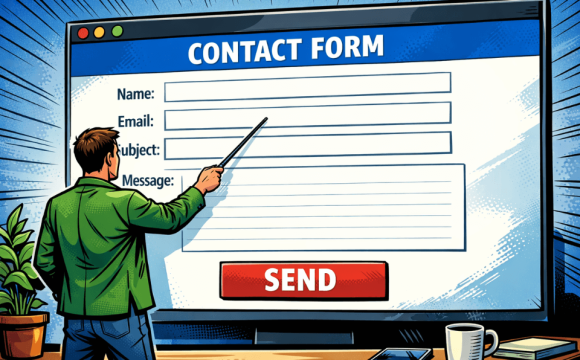
Create an attractive web page for a special promotion with a small door prize. Ask your guests to fill out a simple online form to participate. Remember you can include the option to subscribe to your newsletter in the form, and you can follow up with an e-newsletter that announces the winner.
Written by: Bryan
Trim down your homepage.
Your homepage should draw people into your site and make them want to see more. It should not only be easy to read but should load quickly as well. Although high speed internet is quickly becoming the standard, there is still a large percentage of people who connect through dial-up. If your homepage takes too long to load, then you could be losing large numbers of potential customers. In short, make your homepage easy to view for any internet connection.
Is your flash driving away visitors?
First consider who your core audience for this web site is – if it is mostly small communities with slow dial-up connections, Flash intro animations will not be ideal and will likely drive the visitors away. If you are seeking a high end business to business web site, then a simple and classy Flash banner would be a nice compliment to some keyword rich introduction text on the homepage. Be wary of Flash-only entry pages – these are solely for humans and will not be nice “food” for search engines.
Wait, what was your message?
Think of your homepage as a billboard for your site. You only have a few seconds to grab your customers attention so Make Your Message Clear. The design of your site should accentuate your message not obscure it. Remember content is King and site design should be the King’s loyal servant,–not the court jester.
Can You help me. I’m new here and I seem to be lost.
People have become comfortable navigating the internet because there are general similarities between websites. One of these similarities is the navigation bar. Placing this bar on the top, left, or right is acceptable and will be found by most people. Some sites, in an effort to be creative, turn their website navigation into a difficult to understand maze of clicks and animation. Your website does not exist to change the fundamental way people deal with the internet–it exists to draw in new customers. Do not make your website hard for them to navigate or you risk losing viewers.
Play it again Sam…but give me the choice to stop.
If you must use background music on your site make sure there is an easily accessible control to stop/mute the music. In fact, you may want to rethink having the music automatically play when people visit your site. Some people might be navigating from inside their quiet office and may not appreciate that your music plays on its own. No matter how much you like the song it is usually best to give your viewers the option.